Lennakim

I am lennakim

0%

01-11我从北京去了秦皇岛, 找peter散心. peter住在燕大, 到了燕大的第一感觉, 这里好大啊, 比清华大多了.
peter说: 燕大有5000多亩, 要是夏天来这里, 在校园里骑着自行车, 可劲的骑吧, 骑不出去,
而且夏天秦皇岛比北京凉快的多, 很适合骑行. 来的不是时候啊.

peter家里养了一只猫, 还有一只狗, 猫特别的漂亮, 很傲娇的. 看喵高歌一曲


狗呢, 真的是人模狗样, 会打呼噜, 咂巴嘴, 会委屈. 有时候吃饭的时候, 它在饭桌地下, 小呼噜就打起来了,
把它弄醒, 眼神懒懒的, 眼皮还泛着一点儿粉红, 这厮投胎前一定是个人.
跟我是特别亲, 老是在我脚边晃悠, 咬我的裤子. 早上我还没起来, 它就跑到我跟前,
“汪汪” 的叫唤. 可能我上辈子是个狗, 狗缘不错.
听peter说, 这狗是他捡来的, 觉得这狗特别, 就把它养家里了.

然后, 跟在秦皇岛的童鞋见了一面, 他从09年到秦皇岛上大学, 一直呆到现在.
我在北京也呆了这么长的时间, 呆的有些腻了. 我们在星巴克得瑟了一下午, 心情相当不错啊.
晚上, 自己看了场电影『博物馆奇妙夜』, 好吧, 以后不看这系列的电影了.
这叫择一座城市, 看一场电影, 嘿嘿.

前几天, 朋友们说,北京下雪, 晚上就梦到了北京, 日久他乡是故乡, 梦到了久居的他乡.
这个生活了5年的城市, 当我离开了, 还真有点不习惯.

01-16从秦皇岛去石家庄看老叔, 好久没看他了. 走之前, 秦皇岛下雪了,
薄薄的一层, 踩在雪上, 咯吱咯吱响, 这个冬天终于看到雪了.

非常感谢 peter跟bill的盛情款待 ^_^

转载 知乎日报

小学到高中只顾着学习了, 进了大学以后会怎么样?

美国心理学家 埃里克-埃里克森(Erik Erikson) 创造了一套名叫
人格的社会心理发展理论(Psychosocial development across the life span),
把人这一生的心理发展分为八个阶段,其中每一个阶段都有自己的矛盾和对峙状态,
只有矛盾顺利解决, 人的心理才能向下一阶段健康发展.

题目中问道, 如果小孩从 6 岁至 18 岁,即小学到高中期间,如果除了学业没有思考过其他的问题会在大学面临哪些思想问题.
在埃里克森的理论中, 这一段 12 年的时间被划分成了两个心里阶段:
其中 6至12岁, 是勤奋对自卑阶段(Industry vs Inferiority);
从12岁到18岁, 是同一性对混乱阶段(Identity vs Role Confusion).

这两个阶段, 对于人的心理发展是至关重要的.

在勤奋对自卑阶段中, 儿童学习各种必要的谋生技能,以及能使他们成为社会生产者所具备的专业技巧.
实际上, 一般人6至12岁的时间都是在小学中读过的.
如埃里克森所说,

1
2
儿童在这一阶段所学的最重要的课程是“体验以稳定的注意和孜孜不倦的勤奋来完成工作的乐趣”.
即努力的学习课本上的知识和尝试着开始人际交往.如果在这一阶段只注意学习却不关注其他, 会发生什么事呢?

首先, 如果孩子尝试努力,却在成绩和社交上仍然不尽人意,
那么他们就会产生一种面对成功人士的自卑感,这种消极情绪会伴随终生;
但如果孩子 通过勤奋获得了巨大的成功, 那他们还会面临一种危险, 即过分重视他们的工作能力
所带来的地位, 成为工作至上的工作狂, 对这样的人说来,工作就是生活.
他们高看工作所能带来的成就,因而会忽视人类生存的其它重要方面, 比如停下来
思考生活里细微的小事, 以及给予身边的人爱与温暖.

用埃里克森的话来说,
如果他把工作作为他唯一的义务, 把某种工作作为唯一有价值的标准, 那么他也许
会成为一位因循守旧的人, 成为他自己的技术和可能利用他的技术的那些人的毫无思想的奴仆.
如果孩子在这一阶段获得的勤奋感胜过自卑感, 他们就会带着获得的能力离开这个阶段.
与此同时, 埃里克森还说, 使孩子获得能力的是关爱和温暖, 使孩子获得自卑的是人生中重要人物的冷漠嘲笑.
如果如题主所说的喂辣椒让孩子醒来写作业, 明显就是后者的体现啊.

接下来就是12-18岁的同一性对混乱阶段. 所谓的“同一性”,根据埃里克森的定义,
即一种对自身熟悉的感觉, 一种知道个人未来目标的感觉, 一种从他信赖的人们中获得所期待的认可的内在自信.

简而言之, “同一性”其实就是对自我的一个统一认知, 即完整的 self-indentity.
这个认知的来源来自外部环境, 来自周围的人, 来自自己能力的评价,
来自对未来的预期, 更重要的是来自自我的内心.
有一个答案提到了所谓“中国保安门卫哲学家经典三问”,因为关乎同一性阶段的
自我认知 无非就三个问题: “我是谁”“我是什么样的人” “我未来要做什么”

埃里克森说,这是这一阶段年轻人们主要思考的问题:
拥有同一性的自我认知,实际上就是外部对自己的认识和自己对自我的认识相符合;
如果不相符,或者对这些问题没有一个清醒的认识,那么青年人很容易就会无法从这一阶段走出,
反而陷入一种角色混乱, 也就是很多青年人步入大学之后陷入迷茫期的事实.

埃里克森接着建议到, 如果青年人在这一阶段陷入了角色混乱,那么他最终很可能选择消极同一性, 借此来抵抗自身的角色混乱.
所谓的“消极同一性”, 即一些极端的恶劣行为, 比如正常的学生突然开始翘课,
开始抽烟酗酒, 赌博打架, 让人生彻底沉沦.

对于这种“不成仙便成魔”的心态, 埃里克森的解释是:

1
宁可成为一个无名小卒, 或者成为臭名昭著的大人物, 或者成为某个的确已经死了的人——总之,它们是经过自由选择的角色——而不愿意成为一个不太象样的人.

很明显,诸多年轻人进入大学阶段突然开始迷茫,找不准生活方向的原因,就是因为对自己没有一个
清醒且积极的自我认知,或者理想自我和他人审视的自我出现了偏差,并且陷入了角色混乱.

如果不给 12-18 岁的年轻人时间让他们好好思考这些问题,他们就不会走出这一阶段, 从而进入了无限延长了的心理的合法延续期,这对于他们的人生是致命的.
因为他们轻则在往后的生活里会轻易放弃责任, 重则出现一些极端性的行为.

Mac os 运行一个rails项目, 经常有找不到 mysql socket文件的问题, 在stackoverflow上
找到了解决办法 – cannot-find-mysql-sock .

于是发现一个灰常简单的的命令 mysql_config –socket

1
2
3
4
mysql_config --socket

=> /tmp/mysql.sock

迎刃而解, 只是感觉这个命令太偏门了.

vim 作为骨灰级神器, 就算虐我千百遍, 也要待vim如初恋, 常温才能不被常虐.

本文修改自陈皓的 给程序员的VIM速查卡, 方便自查, 谢谢 @耗子蜀黍.

其用颜色标注了级别:

  •   Green   = 存活级
  •   Yellow   = 感觉良好
  •   Orange   / Blue = 高级
  •   Red   = 专家级

如果你是色盲的话, 还有蓝色PDF版, 太贴心了.

资料:

简明Vim练级攻略 是极好的.

在使用es-model的时候, include Elasticsearch::Model, model 就有了search方法, 代码如下:

/models/article.rb
1
2
3
4
5
6
class Article < ActiveRecord::Base
include Elasticsearch::Model
end

Article.search # is worked

如何通过ActiveSupport::Concern, 实现类似的功能呢?

test.rb
1
2
3
4
5
6
7
8
9
10
11
12
13
14
15
16
17
18
19
20
21
22
23
24
require 'active_support'

module Foo
extend ActiveSupport::Concern

def instance_method
puts "this is a instance_method"
end

included do
## 定义类方法
def self.class_method
puts "this is a class_method"
end
end
end

class Test
include Foo
end

Test.new.instance_method
Test.class_method

campo有相似代码

1
2
3
4
5
6
7
8
9
10
11
12
13

module Likeable
extend ActiveSupport::Concern

included do
has_many :likes, as: 'likeable', dependent: :delete_all
end

def liked_by?(user)
likes.where(user: user).exists?
end
end

这样的好处是: 1. 代码复用 2. 分拆代码, 使结构更清晰.

AS::Concern的另一个作用: 解决modules之间的dependencies, 可以参考 ihower的文章.

莽莽幢幢走过 2014, 走过本命年,波折不断,惊喜交加,生命的年轮又多了一圈。

2014-01-01, 我在隆隆的火车上跨了年,早上到了九江,短暂的 3 天是生命里最闪光的时刻。

2014-01-11, 第一次参加 rails girl, 走出封闭的小圈子,认识了很多有趣的人。

2014-01-xx, 公司资金链断裂,由于在 rails girl 刷脸的缘故,应聘云币成功。

2014-02-07, 正月初八,在云币 第一天工作。

2014-03-26, 跟她吵架了。

2014-04-20, knewcoin 功能完成,上线。

2014-05-10, 去了南昌,看到了她,然后没了然后。

2014-05-27, 开始 美喵的工作。

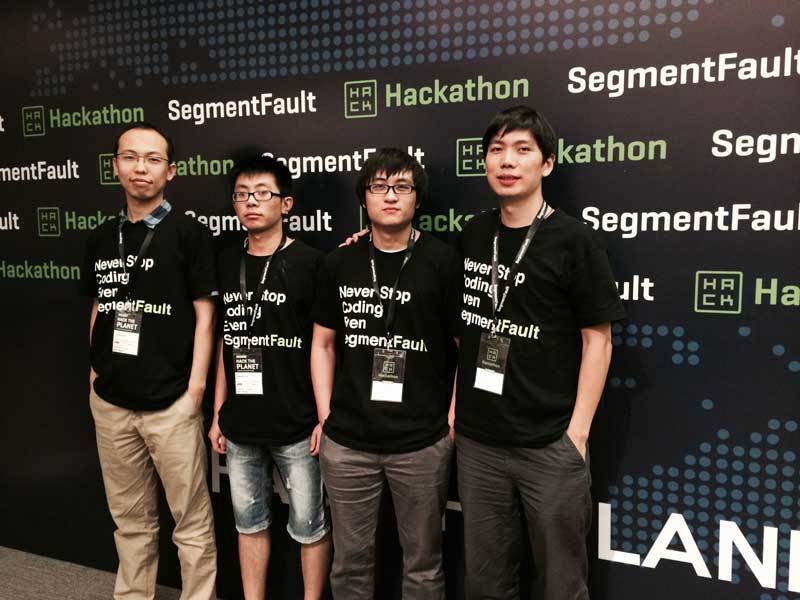
2014-06-28, 参加segmentfault举办的黑客马拉松,天时地利人和,获奖了.

2014-07-18, 美喵第一版完成。

2014-09-26, macbook pro 在公司被盗,买了不到 3 周时间。

2014-10-15, 美喵第二版完成,终告一段落。

2014-10-26, 开始 豆包.

2014-11-27, 向peatio提交Deposits api.

2014-12-10, 开始云爱购的工作。

2014-12-12, 云爱购 1212 活动,分水岭。

2014-12-20, 提出休假。

2014-12-21, 到青岛,与 CTO 谈心,正式辞职。

2014-12-23, 生日,从青岛回到北京。

2014-12-24, 交接工作,不甘,不舍。

2014-12-31, \u90b9\u5029\u96ef, I have lost you!.

今天坐高铁, 从北京到青岛,跟CTO 丹政委做一些工作上的交接.
高铁要先绕道天津、德州再到青岛, 这走的是京沪线啊.

之前来过一次青岛, 大概是13年5月份, 那时候刚离职, 拉上朋友去散心.
先坐车到济南, 在济南呆了一段时间, 见了在机械厂工作的表哥.
他那时候刚开始工作, 额 我也不知道我换了几份工作了.

在济南看到了传说中的大明湖畔, 脑海里首先浮现的不是夏雨荷,
而是容嬷嬷俊俏的脸庞, 想起了当年红遍大江南北的小燕子,
那时候真的是青葱岁月, 比青葱还青葱, 真正的葱心绿, 我才10多岁啊.

在青岛,第一次看到了海, 貌似这个时间点来的晚了些, 有平淡的小激动.
到青岛的时间段不是太好, 正好赶上旅游高峰, 每一个景点, 往上看是各种腿, 往下看是各种头.
夹在人流中, 一步一步挪动, 随波逐流, 随大流, 不踩脚.

在海洋馆, 见识了很多光怪离奇的鱼, 其他有印象的没印象的海洋生物, 里面闷热难耐, 逛完就赶紧撤退了.

逛了金银沙滩, 闻着带腥味的海风, 光着脚丫子, 踩在沙滩上.
刚接触沙滩,感觉有很多小虫子从脚上爬过.
在另个地方, 抓了点小螃蟹, 还想带回来煎炸烹煮下, 来顿螃蟹大餐.

在 栈桥, 鲁迅公园, 五四广场, 四处流窜活动, 坐一辆辆公交车, 吃着叫不上名字的东西, 记忆模糊了.

这的地形跟华北平原真的不一样, 我在北京、老家的城市, 没见过这么起伏的道路.
看着公交车从陡坡上驶过来, 在我眼里忽的变大, 像要撞过来一样.

青岛的地理位置, 在我的感觉来说, **北京以南, 南方已北, ** 不南不北, 应该更适北方人生活吧.
我忍受不了 南方冬天室内 1℃的气温, 阴冷潮湿, 没有暖气, 取暖靠抖, 生活好艰难.

青岛算是我的福地, 上次来散心回到北京后,认识了她, 额 现在不知道她过的好不好.

现在想起之前的事儿, 颇有『庭有枇杷树,今已亭亭如盖矣』的赶脚儿.

10-1假期, 闲来无事, 写了个计时器.
之前没有 object-c, swift 经验, 基本是依葫芦画瓢.

教程Jason编写的, 很详细,另外有一个bug, Jason希望大家能发现, 并帮他修复. 感觉这种发现问题的方式很不错丫.

核心是一个 CounterViewController.swift 文件

1
2
3
4
5
6
7
8
9
10
11
12
13
14
15
16
17
18
19
20
21
22
23
24
25
26
27
28
29
30
31
32
33
34
35
36
37
38
39
40
41
42
43
44
45
46
47
48
49
50
51
52
53
54
55
56
57
58
59
60
61
62
63
64
65
66
67
68
69
70
71
72
73
74
75
76
77
78
79
80
81
82
83
84
85
86
87
88
89
90
91
92
93
94
95
96
97
98
99
100
101
102
103
104
105
106
107
108
109
110
111
112
113
114
115
116
117
118
119
120
121
122
123
124
125
126
127
128
129
130
131
132
133
134
135
136
137
138
139
140
141
142
143
144
145
146
147
148
149
150
151
152
153
154
155
156
157
158
159
160
161
162
163
164
165
166
167
168
169
170
171
172
173
174
175
176
177
178
179
180
181
182
183
184
185
186
187
188
189
190
191
192
193
194
195
196
197
198
199
200
201
202
203
204
205
206
207
208
209
210
211
212
213
214
215
216
217
218

import UIKit

class CounterViewController: UIViewController {

override func viewDidLoad() {
super.viewDidLoad()
self.view.backgroundColor = UIColor.whiteColor()

setupTimeLabel()
setuptimeButtons()
setupActionButtons()

remainingSeconds = 0
}

override func didReceiveMemoryWarning() {
super.didReceiveMemoryWarning()
// Dispose of any resources that can be recreated.
}

override func viewWillLayoutSubviews() {
super.viewWillLayoutSubviews()

timeLabel!.frame = CGRectMake(10, 40, self.view.bounds.size.width-20, 120)

let gap = ( self.view.bounds.size.width - 10*2 - (CGFloat(timeButtons!.count) * 64) ) / CGFloat(timeButtons!.count - 1)

for (index, button) in enumerate(timeButtons!) {
let buttonLeft = 10 + (64 + gap) * CGFloat(index)

button.frame = CGRectMake(buttonLeft, self.view.bounds.size.height-120, 64, 44)
}

startStopButton!.frame = CGRectMake(10, self.view.bounds.size.height - 60, self.view.bounds.size.width-20-120, 44)

clearButton!.frame = CGRectMake(10+self.view.bounds.size.width-20-100+20, self.view.bounds.size.height-60, 80, 44)
}

///UI Element
var timeLabel: UILabel? //显示剩余时间
var timeButtons: [UIButton]? //设置时间的按钮数组
var startStopButton: UIButton? //启动/停止按钮
var clearButton: UIButton? //复位按钮
let timeButtonInfos = [("1分", 60), ("3分", 180), ("5分", 300), ("秒", 1)]


//启动或停止倒计时
//使用Swift的方式来解决状态跟UI的同步问题:使用属性的willSet或didSet方法
var isCounting: Bool = false {
willSet(newValue) {
if newValue {
timer = NSTimer.scheduledTimerWithTimeInterval(1, target: self, selector: "updateTimer:", userInfo: nil, repeats: true)
} else {
timer?.invalidate()
timer = nil
}

setSettingButtonsEnabled(!newValue)
}
}

var timer: NSTimer? // 设置定时器

//使用Swift的方式来解决状态跟UI的同步问题:使用属性的willSet或didSet方法
var remainingSeconds: Int = 0 {

willSet(newSeconds) {
let mins = newSeconds / 60
let seconds = newSeconds % 60

timeLabel!.text = NSString(format: "%02d:%02d", mins, seconds)

if newSeconds <= 0 {
isCounting = false
startStopButton!.alpha = 0.3
startStopButton!.enabled = false
} else{
startStopButton!.alpha = 1.0
startStopButton!.enabled = true
}
}
}

//UI Controls

func setupTimeLabel() {
timeLabel = UILabel()
timeLabel!.textColor = UIColor.whiteColor()
timeLabel!.font = UIFont(name: "Helvetica", size: 80)
timeLabel!.backgroundColor = UIColor.blackColor()
timeLabel!.textAlignment = NSTextAlignment.Center

self.view.addSubview(timeLabel!)
}

func setuptimeButtons() {
var buttons: [UIButton] = []

for (index, (title, _)) in enumerate(timeButtonInfos) {

let button: UIButton = UIButton()
button.tag = index //保存按钮的index
button.setTitle("\(title)", forState: UIControlState.Normal)

button.backgroundColor = UIColor.orangeColor()
button.setTitleColor(UIColor.whiteColor(), forState: UIControlState.Normal)
button.setTitleColor(UIColor.blackColor(), forState: UIControlState.Highlighted)

button.addTarget(self, action: "timeButtonTapped:", forControlEvents: UIControlEvents.TouchUpInside)

buttons += [button]
self.view.addSubview(button)

}

timeButtons = buttons
}

func setupActionButtons() {
//create start/stop button

startStopButton = UIButton()

startStopButton!.setTitle("启动/停止", forState: UIControlState.Normal)

startStopButton!.backgroundColor = UIColor.redColor()

startStopButton!.setTitleColor(UIColor.blackColor(), forState: UIControlState.Normal)

// 为button绑定TouchUpInside事件
startStopButton!.addTarget(self, action: "startStopButtonTapped:", forControlEvents: UIControlEvents.TouchUpInside)

self.view.addSubview(startStopButton!)

/////////////////////clearButton/////////////////////

clearButton = UIButton()

clearButton!.setTitle("复位", forState: UIControlState.Normal)

clearButton!.backgroundColor = UIColor.redColor()

clearButton!.setTitleColor(UIColor.whiteColor(), forState: UIControlState.Normal)

clearButton!.setTitleColor(UIColor.blackColor(), forState: UIControlState.Highlighted)

clearButton!.addTarget(self, action: "clearButtonTapped:", forControlEvents: UIControlEvents.TouchUpInside)

self.view.addSubview(clearButton!)

}

///Actions & Callbacks
func startStopButtonTapped(sender: UIButton) {
isCounting = !isCounting //切换了isCounting的状态

if isCounting {
createAndFireLocalNotificationAfterSeconds(remainingSeconds)
} else {
UIApplication.sharedApplication().cancelAllLocalNotifications()
}
}

func clearButtonTapped(sender: UIButton) {
remainingSeconds = 0 //复位按钮将时间置0
}

//累加时间
func timeButtonTapped(sender: UIButton) {
let (_, seconds) = timeButtonInfos[sender.tag]
remainingSeconds += seconds
}

func updateTimer(timer: NSTimer) {
remainingSeconds -= 1

// 弹出警告窗口,提示倒计时完成
if remainingSeconds <= 0 {
let alert = UIAlertView()

alert.title = "计时完成"
alert.message = ""
alert.addButtonWithTitle("OK")
alert.show()
}
}

///

func setSettingButtonsEnabled(enabled: Bool) {
for button in timeButtons! {
button.enabled = enabled
button.alpha = enabled ? 1.0 : 0.3
}

clearButton!.enabled = enabled
clearButton!.alpha = enabled ? 1.0 : 0.3
}

//注册系统通知
func createAndFireLocalNotificationAfterSeconds(seconds: Int) {

UIApplication.sharedApplication().cancelAllLocalNotifications()
let notification = UILocalNotification()

let timeIntervalSinceNow = Double(seconds)

notification.fireDate = NSDate(timeIntervalSinceNow:timeIntervalSinceNow);

notification.timeZone = NSTimeZone.systemTimeZone()
notification.alertBody = "计时完成!"

UIApplication.sharedApplication().scheduleLocalNotification(notification)

}

}

从 simulator上测试, 到真机上运行, 花了很多时间, 要申请开发者, 要 bundle id, 下载开发者证书 …
各种东西,步骤已经忘了, 现在没时间折腾了.

效果如下:


最近在项目中用 Elasticsearch 做全文搜索,
由于在之前用到 Ransack 做模糊搜索,
这2个gem都在model中添加了 search 方法,一起使用会造成冲突.

于是找到一个解决办法 es-rails-issues-96.

1 引入gem

1
2
3
gem "ransack"
gem "elasticsearch-model"
gem "elasticsearch-rails"

2 include Elasticsearch::Model

1
2
3
4
5
# /models/article.rb

class Article < ActiveRecord::Base
include Elasticsearch::Model
end

Article.search可以使用了, 由于上边说到的原因, Elasticsearch search 方法会被 Ransack覆盖.

3 解决办法

1
2
3
4
5
# /models/article.rb

def self.search_with_es(*args)
__elasticsearch__.search(*args)
end

使用 Article.search_with_es 即可.

在rails项目中有一个非常重要的文件 routes.rb, 管理rails的请求路径.
在随着项目的膨胀, routes.rb 会越来越大, 分割routes会使目录结构更加清晰.


1 先在 config 下新建 routes 文件夹,
2 然后将routes.rb 拆分放到不同的文件夹内,
3 再然后加载拆分后的文件, 有两种方式:

第一种

config/routes.rb 中定义 draw Method:

1
2
3
4
5
6
7
class ActionDispatch::Routing::Mapper
def draw(routes_name)
instance_eval(File.read(Rails.root.join("config/routes/#{routes_name}.rb")))
end
end

draw :admin

第二种

更改 application.rbload path

1
config.paths["config/routes"] += Dir[Rails.root.join("config/routes/*.rb")]

如果你的 routes 非常依赖顺序, 需要逐步加载文件

1
2
3
4
5
# 逐个加载
config.paths.config.routes << File.join(Rails.root, "config/routes/routes_01.rb")
config.paths.config.routes << File.join(Rails.root, "config/routes/routes_02.rb")
config.paths.config.routes << File.join(Rails.root, "config/routes/routes_03.rb")

如图

1
2
3
4
5
6
7
8
9
10
11
12
13
14
15
16
17
18
19
+-----------------------+---------+
| Table | MB |
+-----------------------+---------+
| account_versions | 2752.97 |
| fund_sources | 0.20 |
| id_documents | 0.41 |
| identities | 1.52 |
| members | 1.52 |
| orders | 1355.75 |
| partial_trees | 671.02 |
| payment_addresses | 1.88 |
| tips | 0.02 |
| tokens | 2.89 |
| trades | 229.94 |
| two_factors | 0.48 |
| versions | 46.08 |
| withdraws | 1.52 |
+-----------------------+---------+

sql语句如下:

1
2
3
4
5
SELECT table_name AS "Tables",
round(((data_length + index_length) / 1024 / 1024), 2) "Size in MB"
FROM information_schema.TABLES
WHERE table_schema = "<DB_NAME>"
ORDER BY (data_length + index_length) DESC;

把 DB_NAME替换成需要查询的数据库名即可, 应该只适用于 Mysql / MariaDB.

之前用 octopress, 基于ruby语言开发, 慢慢感觉 octopress
不是轻量级的, 配置很繁琐, 安装ruby也是一件麻烦事 .
而 Hexo 是基于nodejs语言开发, 安装nodejs还是很方便的, 果断易主了 .
感兴趣的小伙伴, 可以查看一下Hexo的文档 .

恰逢 射手网关站, 不免感到惋惜 .
在朋友的介绍下, 买下了 shooter.gl, gl是个格陵兰群岛域名, 买这个域名的寓意就是 shooter good luck!
希望能有好运气! come on shooter!

grape 是一个方便创建 REST-like APIs的gem.

client将一些元数据存在header中, 需要从grape中获取header数据, 得到version版本, 直接上代码.

1
2
3
4
5
6
def get_client_version
request = Grape::Request.new(env)
headers = request.headers
version = headers['X-Version'].to_s
end

最近买了个 hhkb 白色无刻, 跟一般的键盘差别太大, 没有方向键, 在shell中移动光标太麻烦.

shell 有 editing-mode, 默认是 emacs-mode, 所以emacs快捷键在shell中生效, 故记下几个emacs快捷键.

1
2
3
ctrl+a 到行首
ctrl+e 到行尾

1
2
ctrl+u 从光标处删除到行首 #在zsh环境下失效, 解决方法已补充
ctrl+k 从光标处删除到行尾
1
2
ctrl+f 光标前移
ctrl+b 光标后退
1
2
ctrl+p shell中上一个命令, 或者 文本中移动到上一行
ctrl+n shell中下一个命令, 或者 文本中移动到下一行
1
2
ctrl+r 往后搜索历史命令
ctrl+s 往前搜索历史命令
1
2
ctrl+d 删除一个字符, 删除一个字符, 相当于通常的Delete键
ctrl+h 退格删除一个字符, 相当于通常的Backspace键
1
2
ctrl+y 粘贴
ctrl+l 清理屏幕, 类似clear

补充: 2015-01-05

解决 ctrl+u 在zsh环境下失效的问题

按照which-shortcut-in-zsh-does-the-same-as-ctrl-u-in-bash,
.zshrc 文件写入 bindkey \^U backward-kill-line 即可.

设置shell editing-mode 为 vi-mode

在shell中输入 set -o vi, 或者在shell配置文件中写入 set -o vi,
按下 Esc, 输入 hjkl 就可以在shell中移动光标了.

什么是好的 view

为什么需要最佳实践?

  • 项目太大,难懂
  • 团队编程风格不同

你的 View 可能正面临的问题

  • Complex UI with logic UI 和代码逻辑纠缠在一起
  • Too long to maintain 代码太长难以维护
  • Low performance 性能不好
  • Security issues 容易产生安全问题

什么是好的代码

  • Readability 易读,容易了解
  • Flexibility 弹性,容易扩充
  • Effective 效率,写码快速
  • Maintainability 维护性,容易找到问题
  • Consistency 一致性,遵循管理无须死背
  • Testability 可测行,容易编写测试

18招技巧

No.1 Move logic to helper

BAD:

1
2
3
<% if current_user && current_user == post.user %>
<%= link_to("Edit", edit_post_path(post))%>
<% end %>

GOOD:

1
2
3
<% if editable?(post) %>
<%= link_to("Edit", edit_post_path(post))%>
<% end %>

No.2 Pre-decorate with Helper

经常用的地方先用 helper 整理

BAD:

1
<%= @topic.content %>
1
<%= auto_link(truncate(simple_format(topic.content)), :length => 100) %>

GOOD:

1
<%= render_post_content(@topic.content) %>

Common Case

  • render_post_author
  • render_post_published_date
  • render_post_title
  • render_post_content

No.3 Use Ruby in Helper ALL THE TIME

在 Helper 中只使用 Ruby 代码,而不要混杂 HTML。因为如果在 Helper 中最后调用 raw 或者 html_safe 会让代码有被 javascript 攻击的危险

BAD:

1
2
3
4
def render_post_taglist(post, opts = {})
# ....
raw tags.collect { |tag| "<a href=\"#{posts_path(:tag => tag)}\" class=\"tag\">#{tag}</a>" }.join(", ")
end

GOOD:

1
2
3
4
def render_post_taglist(post, opts = {})
# ...
raw tags.collect { |tag| link_to(tag,posts_path(:tag => tag)) }.join(", ")
end

No.4 mix Helper & Partial

在 Helper 中可以混合使用 Partial

BAD:

1
2
3
4
5
6
7
def render_post_title(post)
str = ""
str += "<li>"
str += link_to(post.title, post_path(post))
str += "</li>"
return raw(str)
end

GOOD:

1
2
3
4
def render_post_title(post)
render :partial => "posts/title_for_helper", :locals =>
{ :title => post.title }
end

No.5 Tell, Don’t ask

先 Query 再传入 Helper。这样可以避免效能低下的问题。

BAD:

1
2
3
4
def render_post_taglist(post, opts = {})
tags = post.tags
tags.collect { |tag| link_to(tag, posts_path(tag: tag)) }.join(", ")
end
1
2
3
<% @posts.each do |post| %>
<%= render_post_taglist(post) %>
<% end %>

GOOD:

1
2
3
def render_post_taglist(tags, opts = {})
tags.collect { |tag| link_to(tag, posts_path(tag: tag)) }.join(", ")
end
1
2
3
4
5
6
7
<% @posts.each do |post| %>
<%= render_post_taglist(post.tags) %>
<% end %>

def index
@posts = Post.recent.includes(:tags)
end

No.6 Wrap into a method

属性尽量包装成 method 而不是放在 helper 中

BAD:

1
2
3
4
5
6
7
def render_comment_author(comment)
if comment.user.present?
comment.user.name
else
comment.custom_name
end
end

GOOD:

1
2
3
4
5
6
7
8
9
10
11
12
13
def render_comment_author(comment)
comment.author_name
end

class Comment < ActiveRecord::Base
def author_name
if user.present?
user.name
else
custom_name
end
end
end

No.7 Move code to Partial

view code 超过两页请注意

  • highly duplicated 内容高度重复
  • independent blocks 可以独立作为功能区块

Common Case

  • nav/user_info
  • nav/admin_menu
  • vendor_js/google_analytics
  • vendor_js/disqus_js
  • global/footer

No.8 Use presenter to clean the view

使⽤ Presenter 解決 login in view 问题

BAD:

1
2
3
<%= if user_rofile.has_experience? && user_rofile.experience_public? %>
<p><strong>Experience:</strong> <%= user_profile.experience %></p>
<% end %>

GOOD:

1
2
3
4
5
6
<% user_profile.with_experience do %>
<p><strong>Experience:</strong> <%= user_profile.experience %></p>
<% end %>
<% user_profile.with_hobbies do %>
<p><strong>Hobbies:<strong> <%= user_profile.hobbies %></p>
<% end %>
1
2
3
4
5
6
7
class ProfilePresenter < ::Presenter
def with_experience(&block)
if profile.has_experience? && profile.experience_public?
block.call(view)
end
end
end

关于 presenter 的延伸阅读

No.9 Cache Digest

过去的页面缓存,我们需要自己管理版本,很难维护。新的 digest 缓存策略会自动失效。

BAD:

1
2
3
4
5
6
7
8
9
<% cache [v15,@project] do %>
aaa
<% cache [v10,@todo] do %>
bbb
<% cache [v45,@todolist] do %>
zzz
<% end %>
<% end %>
<% end % %>

GOOD:

1
2
3
4
5
6
7
8
9
<% cache @project do %>
aaa
<% cache @todo do %>
bbb
<% cache @todolist do %>
ccc
<% end %>
<% end %>
<% end %>

关于 Cache Digest 的延伸阅读

No.10 Cells

当同一个页面含有多个 Tab ,它会造成如下问题:

  • Controller code 特别长,因为需要取出很多不同数据存入的变量
  • 在 controller & view 有性能问题不好找到
  • 很难设置 action 级别的缓存

BAD:

1
2
3
4
5
6
7
8
class UsersController < ApplicationController
def show
@user = User.find(params[:id])
@recent_posts = @user.recent_posts.limit(5)
@favorite_posts = @user.favorite_posts.limit(5)
@recent_comments = @user.comments.limit(5)
end
end
1
2
3
<%= render :partial => "users/recent_post", :collection => @recent_posts %>
<%= render :partial => "users/favorite_post", :collection => @favorite_posts %>
<%= render :partial => "users/recent_comment", :collection => @recent_comments %>

GOOD:

1
2
3
<%= render_cell :user, :rencent_posts, :user => @user %>
<%= render_cell :user, :favorite_posts, :user => @user %>
<%= render_cell :user, :recent_comments, :user => @user %>
1
2
3
4
5
class UsersController < ApplicationController
def show
@user = User.find(params[:id])
end
end
1
2
3
4
5
6
7
8
9
10
11
12
13
14
15
16
17
class UserCell < Cell::Rails
cache :recent_posts, :expires_in => 1.hours
cache :favorite_posts, :expires_in => 3.hours
cache :recent_comments, :expires_in => 5.hours

def recent_posts(args)
#...
end

def favorite_posts(args)
#...
end

def recent_comments(args)
#...
end
end

关于 Cells 的延伸阅读

No.11 content_for / yield

根据 Yahoo 大神的建议,应该把 javascript 和 css 代码放在页面的最下面。以便加快加载,但是会造成一些问题。比如你自定义的 js 代码比 jquery 库更早加载,以至于无法运行你的代码。

例子1:

1
2
3
4
5
6
7
8
9
10
11
12
<!-- application.html.erb -->
<%= stylesheet_link_tag "application" %>
<%= yield %>
<%= javascript_include_tag "application" %>
<%= yield :page_specific_javascript %>

<!-- main.html.erb -->
<%= content_for :page_specific_javascript do %>
<script type= "text/javascript">
// your script here
</script>
<% end %>

例子2:

1
2
3
4
5
6
7
8
9
10
11
12
<!-- application.html.erb -->
<div class="main">
<%= yield %>
</div>
<div class="sidebar">
<%= yield :sidebar %>
</div>

<!-- main.html.erb -->
<%= content_for :sidebar do %>
<%= render "ad/foo"%>
<% end %>

No.12 Decoration in Controller

有个别情况,可以把一些代码放在 controller 中

BAD:

1
2
3
4
<%= content_for :meta do %>
<meta content="xdite's blog" name="description">
<meta content="Blog.XDite.net" property="og:title">
<% end %>

GOOD:

1
2
3
4
5
def show
@blog = current_blog
drop_blog_title @blog.name
drop_blog_descption @blog.description
end
1
2
3
<%= stylesheet_tag "application" %>
<%= render_page_title %>
<%= render_page_descrption %>

No.13 Decoration using I18n

善用 I18n 也可以帮你减少一部分 View 代码

BAD:

1
2
3
4
5
6
7
def render_user_geneder(user)
if user.gender == "male"
"男 (Male)"
else
"⼥女 (Female)"
end
end

GOOD:

1
2
3
def render_user_gender(user)
I18n.t("users.gender_desc.#{user.geneder}")
end

No.14 Decoration using Decorator

不要把所有代码都往 Model 中扔,下面的代码演示了一种情况,你需要格式化一种显示发布时间的方法

BAD:

1
2
3
4
5
6
7
8
9
10
11
12
13
14
15
16
17
18
19
20
21
22
23
24
25
26
27
28
29
30
31
32
33
34
35
36
37
38
39
40
# first helper
def render_article_publish_status(article)
if article.published?
"Published at #{article.published_at.strftime('%A, %B %e')}"
else
"Unpublished"
end
end

# then model method

class Article < ActiveRecord::Base
def human_publish_status
if published?
"Published at #{article.published_at.strftime('%A, %B %e')}"
else
"Unpublished"
end
end
end

# then ...

class Article < ActiveRecord::Base
def human_publish_status
end

def human_publish_time
end

def human_author_name
end
#........
end

# at last

class Article < ActiveRecord::Base
include HumanArticleAttributes
end

下面的代码演示使用 https://github.com/drapergem/draper 之后

GOOD:

1
<%= @article.publication_status %>
1
2
3
4
5
6
7
8
9
10
11
12
13
14
15
16
17
18
class ArticleDecorator < Draper::Decorator
delegate_all
def publication_status
if published?
"Published at #{published_at}"
else
"Unpublished"
end
end

def published_at
object.published_at.strftime("%A, %B %e")
end
end

def show
@article = Article.find(params[:id]).decorate
end

关于 draper 的延伸阅读

No.15 Decoration using View Object

有时候,我们希望在用户中,不列出我自己

BAD:

1
2
3
4
5
6
7
8
9
10
11
12
13
14
<dl class="event-detail">
<dt>Event Host</dt>
<dd>
<% if @event.host == current_user %>
You
<% else %>
<%= @event.host.name %>
<% end %>
</dd>
<dt>Participants</dt>
<dd>
<%= @event.participants.reject { |p| p == current_user }.map(&:name).join(", ") %>
</dd>
</dl>

GOOD:

1
2
3
4
5
6
7
8
9
10
11
12
13
14
15
16
17
18
19
20
21
22
class EventDetailView
def initialize(template, event, current_user)
@template = template
@event = event
@current_user = current_user
end
def host
if @event.host == @current_user
"You"
else
@event.host.name
end
end
def participant_names
participants.map(&:name).join(", ")
end
private

def participants
@event.participants.reject { |p| p == @current_user }
end
end
1
2
3
4
5
6
<dl class="event-detail">
<dt>Host</dt>
<dd><%= event_detail.host %></dd>
<dt>Participants</dt>
<dd><%= event_detail.participant_names %></dd>
</dl>

No.16 Form builder

  • simple_form
  • bootstrap_form

No.17 Form Object

在 FORM 中包装逻辑,而不是 model 或 controller。比如我们经常遇到的一个情况,只有同意某某条款才能继续注册表单。

Reform Decouples your models from form validation, presentation and workflows.

https://github.com/apotonick/reform

No.18 Policy Object / Rule Engine

权限控制

BAD:

1
2
3
4
5
def render_post_edit_option(post)
if post.user == current_user || current_user.admin?
render :partial => "post/edit_bar"
end
end

针对于这种情况建议使用权限控制系统,另外近来似乎大家都从 Cancan 转移到 Pundit 去了

Pundit Minimal authorization through OO design and pure Ruby classes

https://github.com/elabs/pundit

Cancan Authorization Gem for Ruby on Rails

https://github.com/ryanb/cancan

总结

  • 总是假设这块正在实现的功能代码需要 decorated(修饰)
  • 把逻辑移到 methods/classes
  • 避免在 View/Helper 中做数据库查询
  • 当代码很难懂的时候,把它抽取到一个新的控制中心比如:form object, Policy Object 之类的

延伸阅读

出处

以上内容由 Victor 整理,本人只是记录在blog中。